Running records and charts
Review distance, pace, heart rate, routes, splits, and personal records from runs saved to Apple Health.
APPLE HEALTH INTEGRATION
Review your Apple Health running records, charts, goals, and shoe mileage. Create running stickers to add to photos, and save routes as Flyover videos.
iPhone only · Free
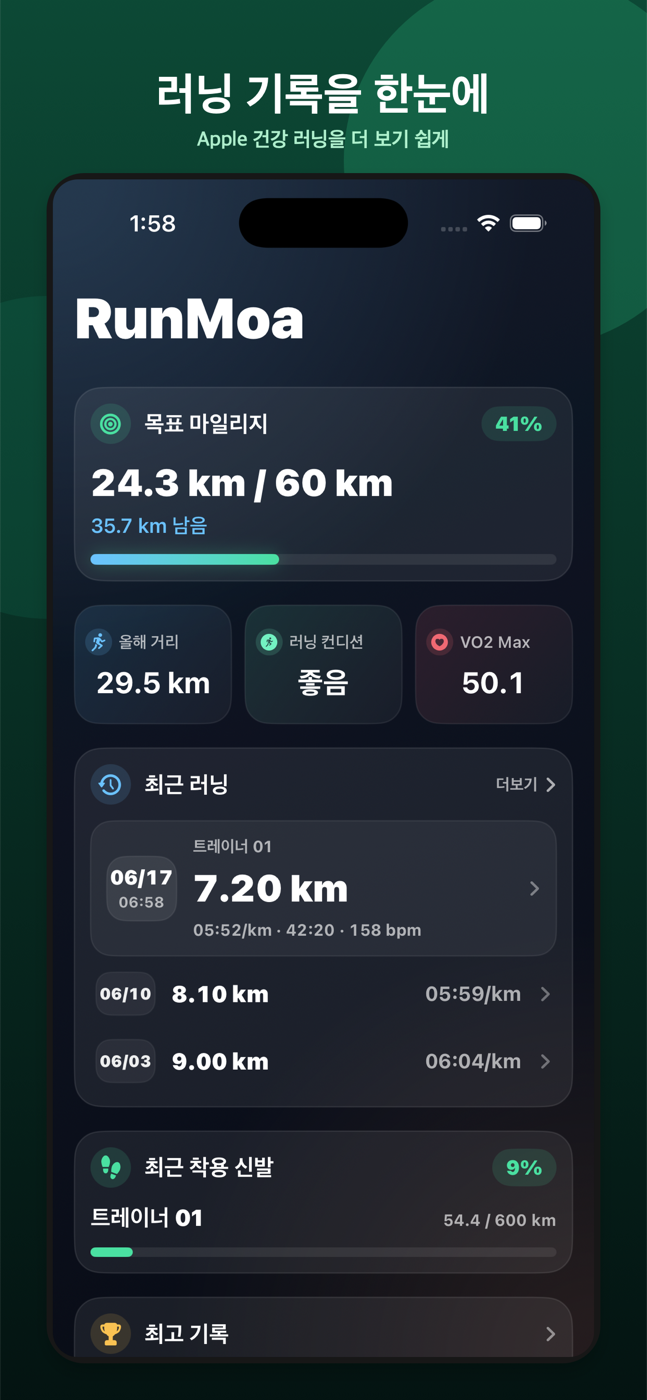
RUN HISTORY, MANAGEMENT AND SHARING
Review distance, pace, heart rate, routes, splits, and personal records from runs saved to Apple Health.
Set monthly and weekly distance goals, and check accumulated mileage and progress.
Check readiness, VO₂ Max, and predicted finish times. Health indicators and predictions are training references.
Assign shoes to runs to track the distance on each pair, and add notes.
Add run, weekly, or monthly summary stickers to photos, or copy them as transparent PNGs to share.
Replay runs with route data in Flyover. Choose the map and displayed metrics, and save portrait videos to Photos.
FAQ
runmoa imports running workouts saved to Apple Health. Allow Health read access on your iPhone to view your workouts. Available details depend on the data saved to Apple Health.
Yes. You can explore the screens and features with a sample run before allowing Apple Health read access. Health read access is required to import your own runs.
No. Flyover is available for runs with route data. Choose the map style, route color, and displayed metrics, then save a portrait video to Photos.
No. runmoa does not upload Apple Health workouts, route coordinates, heart rate samples, notes, or shoe data to a developer server. For an outdoor run with a route, it may send the first valid route coordinate and run start time to Apple Maps for a concise location name and to Apple Weather through WeatherKit for historical weather. Distributed builds use Firebase Analytics and Crashlytics without attaching those sensitive details.
No account is required. You can also explore a bundled sample run before granting Apple Health access.
No. They are training references only and are not intended for diagnosis or treatment.